

|
Name |
DWG FastView |
|---|---|
|
Google Play Link |
GET IT ON
Google Play
|
|
Category |
Productivity |
|
Developer |
Gstarsoft Co., Ltd. |
| Last version | 5.18.11 |
|
Updated |
|
|
Compatible with |
Android 6.0+ |
What is DWG FastView APK?
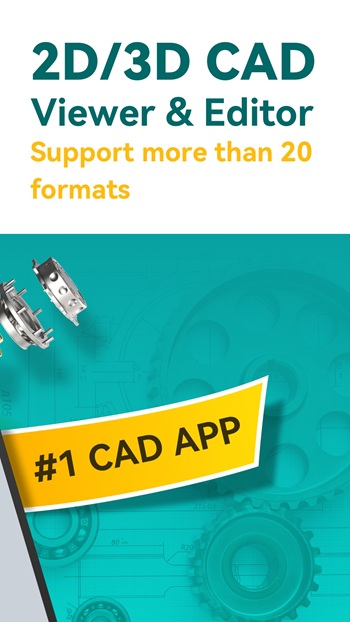
DWG FastView is a mobile utility app specifically designed for creators, engineers, and anyone needing a lightweight, cross-platform CAD viewer and editor. Available on Android and iOS, this app helps users manage technical drawings on the go without needing a bulky desktop setup.
If you need to check, edit, or share DWG or DXF files from your phone, DWG FastView aims to make that a breeze. It supports all AutoCAD drawing formats and loads even large files quickly, with no need to convert formats or set up complicated software.
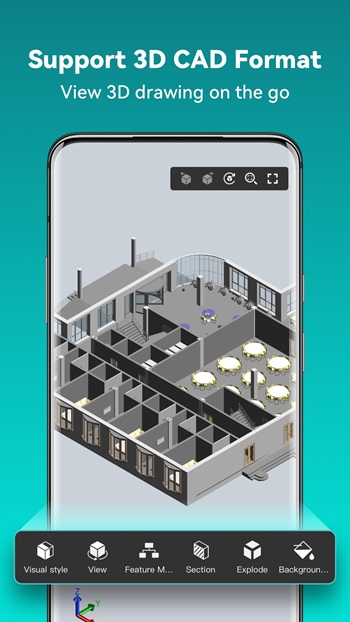
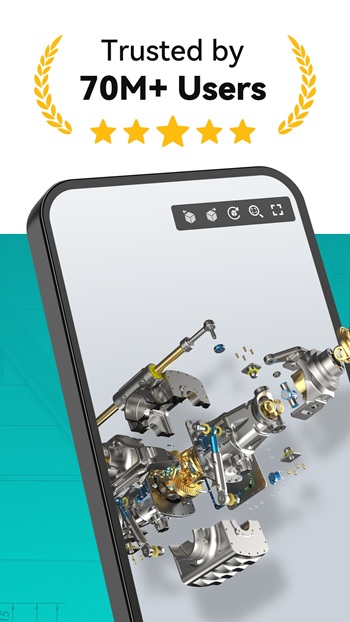
Working with drawings? The app gives you a full toolbox think editing, viewing, adding measurements, drawing lines, and creating annotations. You can also switch between 2D and 3D viewing modes, adjust dimensions, or even rotate 3D models just by swiping on your screen. For those obsessed with detail, the pinch-zoom comes in handy (literally).
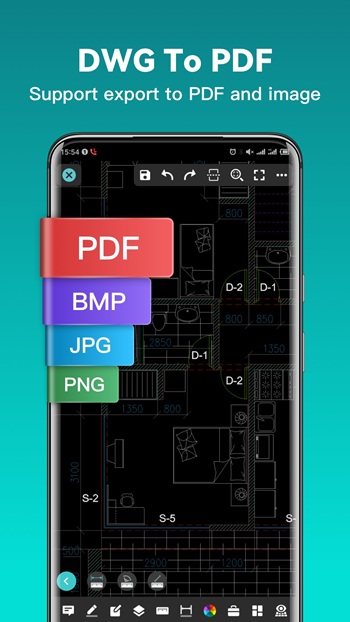
One of DWG FastView’s best perks is how little hassle it brings. There’s no mandatory registration just to get started; you can work offline, or sync your drawings to the cloud for easy access across multiple devices. Exporting files is just as easy, with support for PDF, JPG, BMP, and PNG plus, there’s an option to convert PDF files back to DWG when you need to.
The app includes a bunch of practical features like support for multiple CAD file formats (including RVT, SolidWorks, and more), cloud synchronization, and layer management. Technical support is built-in if you run into a wall. And when precise drawing matters, it offers exact coordinate entry in various formats (absolute, relative, polar), so you can quickly tweak a project when inspiration or a panic deadline hits.
Of course, it’s not perfect. Some features are locked behind a premium subscription, like advanced editing and extra cloud storage. Complex projects with heavy 3D graphics may run slower on older phones. Plus, some high-end CAD tools you’d find in full desktop suites just aren’t there the tradeoff for portability and lower cost.
DWG FastView is great for architects, civil engineers, students, or anyone who needs to review, adjust, or present CAD drawings on their phone or tablet. Whether you’re in the field, working on-site, or quickly checking drafts between meetings, it helps you handle files without a fuss.
FAQs DWG FastView
What types of files can you open with DWG FastView?
+
DWG FastView supports DWG, DXF, and many other common CAD formats, making it easy to view and edit different file types on mobile.
Can you edit CAD drawings offline using DWG FastView?
+
Yes, you can make changes and work on your drawings offline, then sync updates to the cloud when you’re back online.
Is there a limit to file size when using DWG FastView?
+
There’s no enforced file size limit—DWG FastView handles even very large DWG or DXF files, although slower performance may happen on older devices.
What features require a DWG FastView premium subscription?
+
Premium subscribers get advanced editing tools, extra cloud storage, and more format conversion options for professional workflows.
Who benefits most from DWG FastView?
+
It’s ideal for architects, engineers, students, or anyone who needs quick, portable CAD file access and editing between meetings or on-site.
Discover More Interesting Apps
-

Regain
v73.3.2075
49.37 Mb
Updated -
DigiLocker
v9.5.1
72.77 Mb
Updated -
Mod
Alarmy
v26.41.1
200.74 Mb
Updated -
Mod
Ostrich VPN
v3.9.2(441)
48.00 Mb
Updated -
Mod
Todoist
vv12326
47.67 Mb
Updated -
Mod
Claude AI
v1.261026.51
44.00 Mb
Updated -
Manus AI
v26.19.4
151.81 Mb
Updated -
BLOApp
v9.81
56.65 Mb
Updated -
BASE
v5.1.1
137.20 Mb
Updated -
Cici - Your AI assistant
v15.5.0
365.08 Mb
Updated










Share Your Thoughts